
Software registration
Software registration
Registration happens inside the program. One serial number activates one computer.
With internet
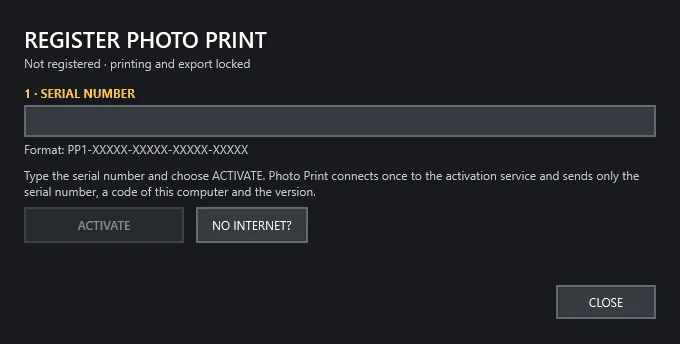
- Start Photo PrintClick the red label “NOT REGISTERED · REGISTER”.
- Paste the serial numberIn the form PP1-XXXXX-XXXXX-XXXXX-XXXXX.
- Click ACTIVATEPrinting and export are unlocked. No connection is needed afterwards.
This only catches typing errors and runs in your browser. The number is not sent and not activated.
Without internet
In the registration window choose NO INTERNET?, copy the request and paste it here. You will receive a .pplicense file, which you load with LOAD LICENSE.
Frequent questions
I am changing computers
Contact us to release the number. Then click ACTIVATE on the new computer.
I reinstalled Windows or the program
On the same computer, click ACTIVATE with the same number. No need to contact us.
“This serial number is already activated on another computer”
One number activates one computer. If you changed computers, ask us to release it.
“This serial number was not found”
Check every character with the field above. If it is correct, contact us.
What data is sent?
Only the serial number, a code of the computer and the version. Not the computer's name, photos or personal data.